- 호스트명 : WSANSIHOAPP01
- IP대역 : 192.168.100.X/24
- OS : Rocky Linux 9.1 (Blue Onyx)
- 종류 : VM on Hyper-V
- Ansible : core 2.13.3
- 참고 : 필자는 sudo 설정을 사용계정에 nopasswd 지정
1. EPEL Repository 설치
# sudo dnf install https://dl.fedoraproject.org/pub/epel/epel-release-latest-9.noarch.rpm

2. EPEL 레포지토리 설치 확인
# sudo dnf repolist

3. Ansible 설치
# sudo rpm -qa --last | tac | tail
# sudo dnf install ansible
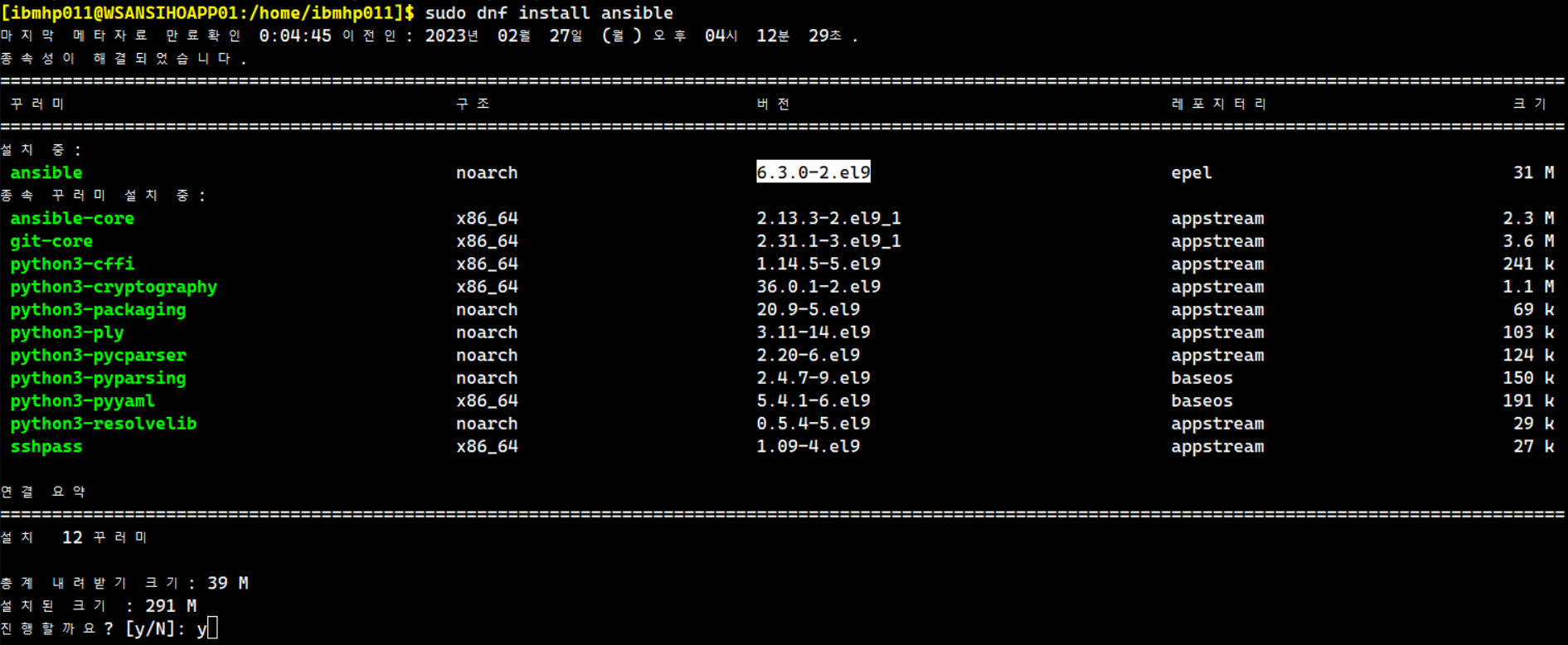
4. 설치 후 버전확인
# ansible --version

5. ssh 접속을 위한 key 생성 후 전송
$ ssh-keygen -t rsa -b 2048


$ ssh-copy-id ibmhp011@192.168.100.110

6. Ansible Inventory에 게스트 서버를 등록 (/etc/ansible/hosts)
$ ls -l /etc/ansible/hosts
$ cp -ip /etc/ansible/hosts /etc/ansible/hosts.bk
$ sudoedit /etc/ansible/hosts

7. Ansible 모듈로 ping 명령어 사용
| $ ansible all -m ping 192.168.100.110 | SUCCESS => { "ansible_facts": { "discovered_interpreter_python": "/usr/bin/python3" }, "changed": false, "ping": "pong" } 192.168.100.120 | SUCCESS => { "ansible_facts": { "discovered_interpreter_python": "/usr/bin/python3" }, "changed": false, "ping": "pong" } "pong"이 반환되면 성공이다. |
$ ansible 192.168.100.110 -m ping 192.168.100.110 | SUCCESS => { "ansible_facts": { "discovered_interpreter_python": "/usr/bin/python3" }, "changed": false, "ping": "pong" } 개별 서버에 ping 테스트 |
$ ansible wsweb -m ping 192.168.100.110 | SUCCESS => { "ansible_facts": { "discovered_interpreter_python": "/usr/bin/python3" }, "changed": false, "ping": "pong" } 192.168.100.120 | SUCCESS => { "ansible_facts": { "discovered_interpreter_python": "/usr/bin/python3" }, "changed": false, "ping": "pong" } wsweb 그룹에만 ping 테스트 |
============================================================================
다음에는 명령어 심화과정에서 다루겠다.
지식 출처: https://ossian.tistory.com/77
지식 출처: https://www.redhat.com/ko/blog/system-administrators-guide-getting-started-ansible-fast
지식 출처: https://booiljung.github.io/technical_articles/ansible/ansible_simple_guide.html
'리눅스' 카테고리의 다른 글
| Rocky Linux 9에서 Zabbix 6.0 구축 (0) | 2023.05.20 |
|---|---|
| SAN Storage 개념 정리 (0) | 2023.03.21 |
| PCI슬롯 확인과 HBA Card 확인 명령어 (0) | 2023.03.16 |
| nmcli 명령어 사용법: Rocky Linux 9.1_2 (0) | 2023.03.16 |
| nmcli 명령어 사용법: Rocky Linux 9.1 (0) | 2023.02.27 |


